Your Lottery Agent's Guide to Playing Like a Pro
Hi! I'm Maxi Álvarez. Many advanced players ask me how they can play more numbers in La Primitiva or Bonoloto without spending a fortune. Playing 22 numbers directly would cost over €74,000, which is unthinkable. But what if I told you that you can do it for just over €100?
In this tutorial-guide, I'm going to teach you how to use our free software MultiRedLoto to create a conditioned combination of 22 numbers, wheeled to guarantee 4 matches, which comes down to just 113 bets. Let's see how it's done, step by step!
Step 1: Download and Install the Software
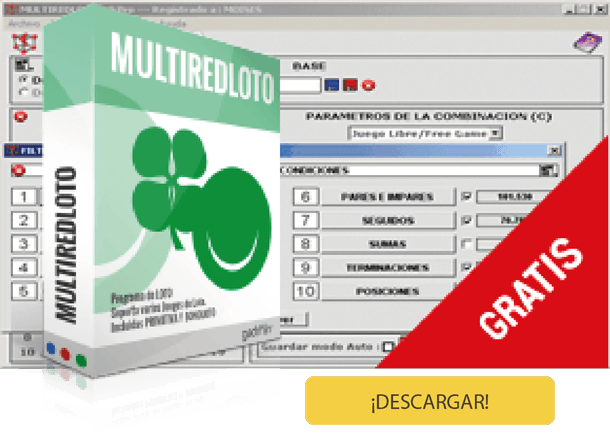
The first thing is to get the tool. MultiRedLoto is a Windows program that we offer completely free of charge. You just have to download and install it on your PC.
To activate it, use this universal code: 899755
Step 2: Choose Your Numbers (The Initial Challenge!)
Once the program is open, select the game (in this case, La Primitiva) and mark the numbers you want to play. For our example, we're going big: we choose 22 numbers and set the refund number to 4.
When calculating the direct cost, the program shows us the harsh reality: 74,613 bets. Impossible to play! But this is where the magic begins.
Step 3: Apply the Filters (The Conditions)
Now we are going to "condition" our play, that is, to eliminate the combinations that are statistically less likely. We click on the "Filters" tab.
Even/Odd Filter:
Most draws have a balance. We tell the program that we are only interested in combinations with 2, 3, or 4 even and odd numbers.
High/Low Filter:
Just like with even/odd numbers, we look for balance. We select combinations with 2, 3, or 4 low and high numbers.
Sums Filter:
We ask for the sum of the 6 numbers in each bet to be between 100 and 200, which is the range where most winning combinations appear.
Figures Filter (Distribution by Tens):
This is a filter for experts. Think of it as dividing the La Primitiva board into "families" of numbers. This filter controls how many numbers from each "family" or ten you want in your combination. For example, the condition 2-2-1-1 (one of the most common) means that your winning combinations will have: 2 numbers from one ten, 2 from another, 1 from a third, and 1 from a fourth, ensuring the numbers are well-distributed.
After applying these filters, we calculate again. We've gone from 74,613 bets to 38,647! We've cut it almost in half, but it's still too expensive.
Step 4: The Reduction (The Final Savings)
Now comes the final step to make the play cheaper. We go to the "Reductions" tab and apply a reduction to 4 (N-2). This means that if we match the 6 numbers of the winning combination among our 22 chosen ones (and the conditions are met), the program guarantees us at least one 4-match prize.
We let the program work for a few cycles and... that's it!
We're down to just 113 bets!
Step 5: Validate Your Master Play on Maxiloto
Now that you have your professional combination of 113 bets, playing it is very easy. In the program's top menu, click on the "Validate on Portal" icon.
The program will prepare the tickets and automatically load them into the shopping cart on our website so you can pay for them and validate them in a 100% official way. It's that easy to play like an expert with Maxiloto!
help_outlineFrequently Asked Questions (FAQ)
What exactly is a "reduced" bet?
Maxi answers: It's a smart way to play many numbers for less money. Instead of playing all possible combinations (which would be very expensive), the system selects a subset of them that guarantees you a minimum prize if you match the numbers of the winning combination.
What does a "reduction to 4" mean?
Maxi answers: It means that if the 6 winning numbers of the draw are among the 22 you have chosen, the system 100% guarantees that you will have, at a minimum, one ticket with 4 matches. And probably many 3-match prizes!
Do I need to be an expert to use the filters?
Maxi answers: Not at all! Although they are powerful tools, filters like "even/odd" or "high/low" are very intuitive. They are based on the logic that most draws are balanced. You can start with those and, as you gain confidence, explore the more advanced ones.
How do I validate the play from the program?
Maxi answers: That's the easiest part! Once you have your combination ready with the filters and reductions, you just have to click the "Validate on Portal" button that you'll see in the program's top menu. Your play will be automatically sent to our website's shopping cart so you can securely complete the payment.